
Video Player All Format HD
Video Player & Cast to TVVideo Players & Editors
4.42.56K Reviews
- Version
- 3.0.1
- Installs
- 50.00M
- Age Rating
- Everyone
Screenshots
Our Review of Video Player All Format HD
 Analysis by Appyee
I spend a lot of time opening videos that do not behave consistently in the phone’s default player, so I approached Video Player All Format HD as a practical tool rather than a flashy entertainment app. It is a free video player in the Video Players & Editors category, made by Video Player & Cast to TV, and its appeal is easy to understand: one place for high-resolution playback, subtitles, a floating window, background listening, and casting to a television.
After using it as an everyday player, my impression is positive but specific. This is most useful when your phone contains a mixture of downloaded clips, recordings, films, lessons, or other local videos and you want more control than the standard gallery provides. It is less compelling if you only watch occasional short clips and already feel comfortable with the built-in player. The important question is not whether it can play video; most modern phones can do that. The question is whether its extra playback modes make your routine easier.
How the current version fits into everyday viewing
The current release is version 2.8.0, and the app has been available since December 28, 2022. Its position today is helped by a broad audience: it has passed 50 million installs and holds a 4.4 average from around 169 thousand ratings. Those numbers do not guarantee that every file or device will behave perfectly, but they do suggest that this is an established utility rather than an obscure experiment.
I like the straightforward purpose. The app does not try to become a social video service or a full editing suite. It focuses on opening video files and giving them more flexible ways to play. That makes the interface easier to understand than apps that mix playback with downloads, feeds, recommendations, or complicated media libraries.
The free price is a strong starting point for casual users. There are in-app purchases ranging from $9.99 to $16.99 per item, so I would explore the free experience first and decide whether the additional value fits my habits before paying. For someone who watches one or two files a month, the free option may be enough. A person who relies on a phone as a portable media center may judge the extra purchase differently.
The age rating is Everyone, which matches the basic nature of the tool. That does not mean every video opened inside it is suitable for every viewer; the content depends on the files a person chooses to play. It simply makes the player approachable for households and general-purpose devices.
Where the main playback strengths appear
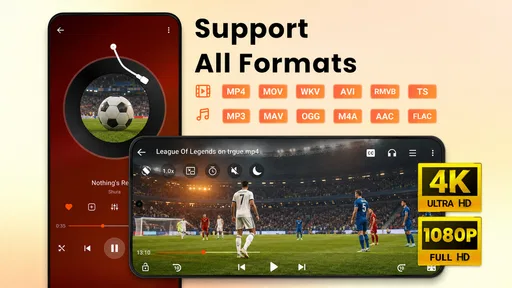
The headline feature for me is support for 4K and 1080P playback. Resolution support is useful when a file is already high quality, but it is worth keeping expectations realistic: an app cannot turn a low-resolution recording into genuine 4K detail. The benefit is that compatible high-resolution videos can be viewed without automatically reducing them to a smaller format.
On a large phone or tablet, that difference is easier to appreciate than on a compact screen. I also found the setting useful when checking footage captured by another device. Instead of transferring a clip to a computer just to inspect it, I can open it on the phone and judge the image directly.
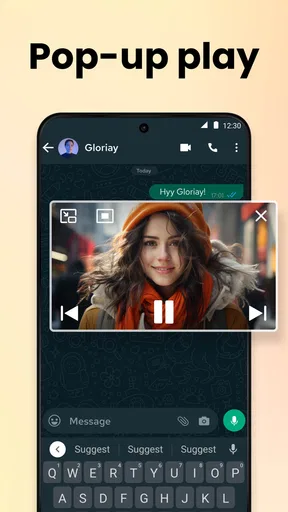
Popup play is another feature with a surprisingly practical role. I can keep a video in a small floating window while checking a message, looking at a note, or following a simple instruction. It is not ideal for every activity because the window takes up screen space, but it is more convenient than repeatedly leaving and reopening the player.
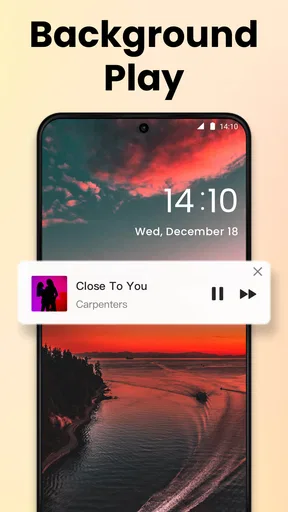
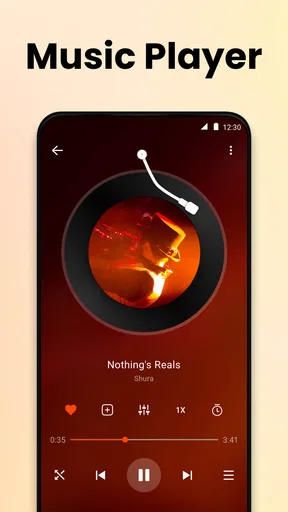
Background play changes the app from a visual player into something that can handle spoken content. Tutorials, interviews, lectures, and long explanations do not always need the screen visible. I can start the video, lock the phone, and continue listening while doing a low-attention task. That is one of the clearest reasons to use this app instead of relying only on a basic gallery viewer.
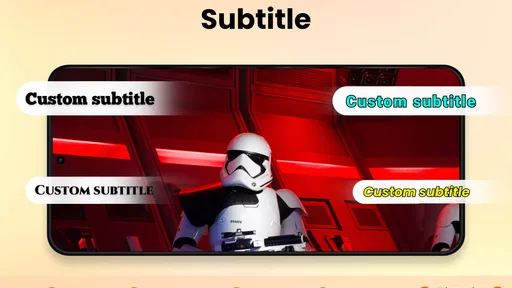
Subtitle support is equally important for accessibility and practical viewing. Subtitles help when the original audio is quiet, when I am watching in a noisy room, or when the speaker uses an unfamiliar accent. They also make it possible to follow dialogue without turning the volume up. In a real household scenario, I could watch a lesson late at night with headphones or keep the sound low while still understanding the content.
A useful workflow for mixed video collections
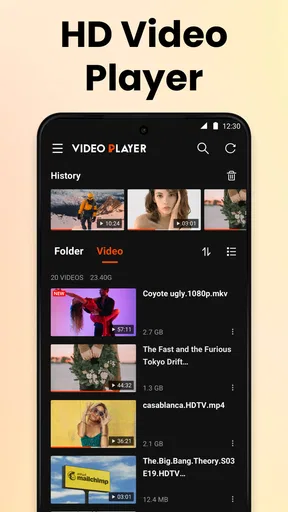
My preferred way to use the player is to treat it as a single doorway for different kinds of files. I might have a camera recording, a downloaded lesson, a family clip, and a long-form video saved for travel. Opening each item in the same player reduces the small friction of switching between the gallery, a file manager, and separate specialist apps.
For travel, I would prepare the files before leaving, check that the subtitles appear correctly, and test background play with one longer video. That quick check matters because the best player is not helpful if the particular subtitle file, audio track, or video encoding behaves differently than expected. I also prefer testing a high-resolution file before a trip rather than discovering a compatibility problem when there is no reliable connection.
For study, popup play can support a two-screen-like routine on one device. I can keep an instructional video visible while writing a short summary or following steps in another app. The trade-off is concentration: a small window is convenient for demonstrations, but it can become distracting during a lecture. I would use it for reference material, not as a replacement for a full-screen learning setup.
For home viewing, casting to a TV is the more comfortable option. A phone is excellent for quick playback, but a television is better for a group, a film, or any video where small details matter. The app’s casting focus gives it a role beyond local playback, although the experience naturally depends on the television or casting receiver and the network behaving properly.
How it compares with the usual alternatives
The default phone player usually wins for simplicity. It is already installed, opens common recordings quickly, and may connect neatly with the phone’s gallery. If all I need is to review a short clip I just recorded, installing a separate player can feel unnecessary.
This app becomes more attractive when I need several modes in one place. A basic gallery player may not offer the same combination of popup viewing, background audio, subtitle handling, high-resolution playback, and TV casting. Rather than choosing a separate tool for each task, I can try to keep these needs inside one focused app.
Dedicated media players may still be better for advanced users who want deep control over codecs, audio tracks, playback speed, network libraries, or detailed subtitle adjustment. I would choose one of those if I regularly manage a complicated collection and need settings beyond the everyday controls. Video Player All Format HD feels aimed more at convenience than at becoming a technical laboratory.
Editing apps are a different comparison altogether. They are the right choice when I need to cut scenes, add text, change sound, or export a new file. This app is for watching and managing playback, not for transforming the source video. Confusing those roles could lead to disappointment, especially if someone downloads it expecting trimming or production tools.
What changed and what that means for existing users
The version currently presented is 2.8.0, so existing users are not evaluating a brand-new product with an untested identity. The app has had time to settle into its role as a general video player, and the sizable installed base indicates that many people use it for more than a one-time experiment.
I would describe the product evolution in terms of consolidation rather than a dramatic change of direction. Its useful identity is the combination of flexible playback and output options: watch on the phone, reduce the player to a popup, continue with the screen off, use subtitles, or send the picture to a larger display. That combination is more meaningful than any one feature taken alone.
For an existing user, the practical effect is that the app remains a sensible central player for mixed viewing habits. A person who previously used it only for local files may get more value by trying background play with spoken videos or casting a family recording to the television. Someone who already has a carefully organized media setup may notice less benefit because their preferred player may already cover those tasks.
I would not update or change my whole media workflow solely because of a version number. I would look at the actual tasks I perform. If I need subtitles, a floating window, or TV playback often, the current release deserves a place on the phone. If I only open brief camera clips, the default option may remain faster.
Small details that improve the experience
One useful habit is to separate “watching” from “listening” in my mind. When the visual information matters, I keep the player full screen and use the highest practical quality. When the video is mostly speech, I switch to background play and stop worrying about keeping the display awake. This simple distinction prevents me from using the most battery- and attention-heavy mode for content that does not need it.
A second tip is to use popup play selectively. It works best when the video is a reference, such as a repair demonstration, cooking instruction, exercise explanation, or software walkthrough. I can glance at the small window while acting on the instructions. For cinematic content, the same feature reduces immersion and makes the screen feel cramped, so full-screen playback is the better choice.
A third trade-off concerns casting. Sending a video to a TV is convenient for sharing, but it also moves the viewing experience away from the phone’s private screen. I would check the destination before casting, especially in a shared home or workplace. I would also keep the phone available as a controller and avoid assuming that every network environment will discover the television instantly.
Subtitles deserve a similar bit of preparation. If I depend on them, I would test a short section before settling in for a long film or lesson. This is not a criticism unique to this player; subtitle files and embedded tracks can vary. The practical lesson is that a quick check saves frustration later, particularly when the video is being watched offline or on a television.
Finally, I would avoid judging 4K playback only by the label. The screen size, viewing distance, source quality, and device capability all affect what I actually see. High-resolution support is valuable, but it should be treated as headroom for suitable files, not as a promise that every video will look sharper.
Where the app still has limits
The biggest limitation is that a broad feature set does not automatically mean universal compatibility. Video playback depends on the file, its audio and subtitle structure, and the device handling it. I would not replace a computer-based media setup if I routinely work with unusual professional formats or need precise technical controls.
The app also may not be the ideal choice for people who want a polished library-management system. A player can open videos effectively without becoming the best tool for cataloging a large collection by genre, tracking watched status, or maintaining a sophisticated home media server. If organization is more important than playback flexibility, another category of app may suit better.
There is also a difference between convenience and control. Popup and background modes make the phone more versatile, but they do not replace the focus of a dedicated screen. Casting is comfortable when it works smoothly, yet a native television app or a direct connection may be preferable for someone who watches on the TV every evening.
The purchase options are another point to consider. Because the app is free to start but includes items priced from $9.99 to $16.99, I would not assume that every useful capability is included in the basic experience. I would inspect what is available before paying and compare that cost with the value of the features I actually use. For occasional playback, spending may not be necessary; for frequent viewing, it could be reasonable if the paid functions remove recurring inconvenience.
Who should install it, and who should skip it
I would recommend it to someone who keeps many videos on an Android phone and wants more than a tap-and-watch gallery experience. It is particularly suitable for viewers who switch between visual playback and audio-only listening, rely on subtitles, share videos on a television, or need a small floating window while following instructions.
It also makes sense for a person who has recently moved videos between devices and wants one familiar player for checking them. The free entry point lowers the risk of trying it, while the Everyone rating makes it easy to consider for general household use.
I would suggest skipping it if your main goal is video editing, advanced media-server management, or highly specialized format control. I would also skip it if your default player already opens every file you use and you never cast, use subtitles, play in the background, or need popup viewing. In that situation, the extra app may simply add another icon without solving a real problem.
Users who are especially sensitive to purchase prompts should also examine the free experience carefully before committing. The app’s value depends on whether its additional viewing modes become part of your routine, not on the number of functions shown in a feature list.
What I would watch in future updates
For future versions, I would pay attention to how consistently the app handles the everyday combination of high-resolution video, subtitles, background playback, and casting. These features are individually useful, but reliability across different phones and receivers is what determines whether the app becomes a trusted default.
I would also look for improvements that reduce friction without turning the interface into a complicated control panel. Faster file discovery, clear playback state, and predictable switching between full screen, popup, background, and TV modes would matter more to me than a long list of decorative additions.
My expectations are therefore practical rather than speculative. I would like to see the current strengths become more dependable and easier to understand, while preserving the simple identity that separates this app from a full editing studio or an advanced media-management system. That is the sensible direction for a player already used by a large audience.
After weighing the current version, I see Video Player All Format HD as a useful middle ground. It offers more flexibility than the ordinary gallery player without demanding the technical commitment of a specialist media tool. Its strongest case is everyday convenience: a downloaded lesson with subtitles, a long video listened to in the background, a reference clip shown in a popup, or a family recording sent to the TV.
I would install it for those specific reasons, not simply because it supports a high resolution. The app is free to try, has a 4.4 average, and comes from Video Player & Cast to TV, but the deciding factor for me is whether its extra modes match my habits. If they do, it can become a dependable all-purpose player. If they do not, the phone’s built-in option will probably remain the cleaner choice.
Privacy and Permissions
See what permissions an app requests and how it handles your data.
- Photos/Media/Files
- read the contents of your USB storage, modify or delete the contents of your USB storage
- Storage
- read the contents of your USB storage, modify or delete the contents of your USB storage
- Wi-Fi connection information
- view Wi-Fi connections
- Other
- view network connections, allow Wi-Fi Multicast reception, full network access, run at startup, reorder running apps, draw over other apps, control vibration, prevent device from sleeping, read Google service configuration
Verdict
Strengths of Video Player All Format HD
- Supports most popular video formats without extra codecs.
- HD playback delivers sharp, detailed video on compatible devices.
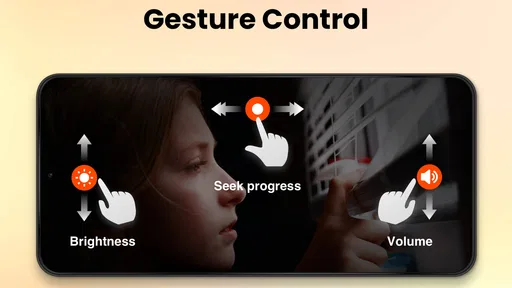
- Simple controls make pausing, seeking, and adjusting volume easy.
- Includes subtitle support for multilingual and accessibility needs.
- Works well for watching locally stored videos offline.
Limitations of Video Player All Format HD
- Some advanced features may require in-app purchases.
- Ad interruptions can reduce comfort during playback.
- Large files may cause battery drain during extended viewing.
- Performance can vary on older or lower-powered phones.
- Privacy permissions should be reviewed before importing media files.
Other Releases by Video Player & Cast to TV
View All
Cast to TV - Screen Mirroring
Video Players & Editors4.1
Similar Picks in This Category
View All
Google TV
Google LLC3.9

iTunes
Apple4.7

YouTube
Google LLC3.8

MX Player
Amazon Mobile LLC4.2

CapCut - Video Editor
Bytedance Pte. Ltd.3.5

PLAYit-All in One Video Player
PLAYIT TECHNOLOGY PTE. LTD.4.5
Frequently Asked Questions
What is Video Player All Format HD, and which media files does it support?
Video Player All Format HD is a multimedia player designed to play videos stored on your Android or iOS device. It is intended to handle common formats such as MP4, MKV, AVI, MOV, and similar files, although support may vary depending on the device and operating system. Before downloading, check the store listing for the current format compatibility and any limitations.
Does Video Player All Format HD play videos in HD or 4K quality?
The app can display high-definition videos when the original file, device screen, and hardware support that resolution. However, installing the player does not automatically improve a low-quality video or guarantee smooth 4K playback. Performance depends on the phone or tablet, available memory, codec compatibility, and whether other applications are running in the background.
Can I use subtitles and adjust the video playback settings?
Video Player All Format HD may include useful playback controls such as subtitle support, audio selection, screen orientation, brightness, volume, playback speed, and aspect-ratio adjustments. Subtitle behavior can depend on the file format and subtitle type. If subtitles are important to you, verify that the version available for your device supports the language, encoding, and subtitle files you normally use.
Does Video Player All Format HD require an internet connection?
A local video player generally allows you to watch files already saved on your device without a continuous internet connection. Internet access may still be requested for advertising, analytics, updates, cloud-related features, or online media functions if those are included in the app. Review the permissions and privacy information before installation, particularly if you prefer an entirely offline viewing experience.
Is Video Player All Format HD free, and does it contain advertisements or in-app purchases?
The download may be free, but the available features, advertising, and payment options can differ between Android and iOS versions and may change after updates. Some editions include banner or full-screen advertisements, while others may offer paid upgrades to remove ads or unlock additional tools. Check the official store page for the current pricing and subscription details before downloading.
